
A SOCIAL APP FOR ADULTS 18+
Real Connections at your own pace
You first, Names later
Find someone to share your day with, swap songs in a Room or break the ice with a game. Start with a Veil name instead of a real name or photo, and let trust grow through conversation.
Beta is coming. Join free for access updates by email.
Coming soon to Google Play and the App Store.



- First speaker: How was your day?
- Second speaker: My to-do list won again. How was yours?
- First speaker: Same. I added “give up” to mine. Finally checked something off.
No audience to impress.
Conversations, without follower counts or an endless feed.
Personality before profiles.
Interests, a Veil name and an illustrated avatar lead the way.
Choice on both sides.
Mutual introductions, adjustable boundaries and free safety tools.
YOUR FIRST CONVERSATION
A hello you both choose.
Three small steps from a first impression to a private conversation.
Set the tone.
Share your mood and interests. Add a Note if there’s something you’d like to talk about.
See who you might meet.
Take a look at a Connect invitation. A Veil name, illustrated avatar and profile offer a first impression.
Choose together.
Say hello or pass. Your private chat opens only when you both accept. You can leave whenever you need to.
THE EXPERIENCE
More than anonymous chat.
Explore a way to connect that feels right for you.
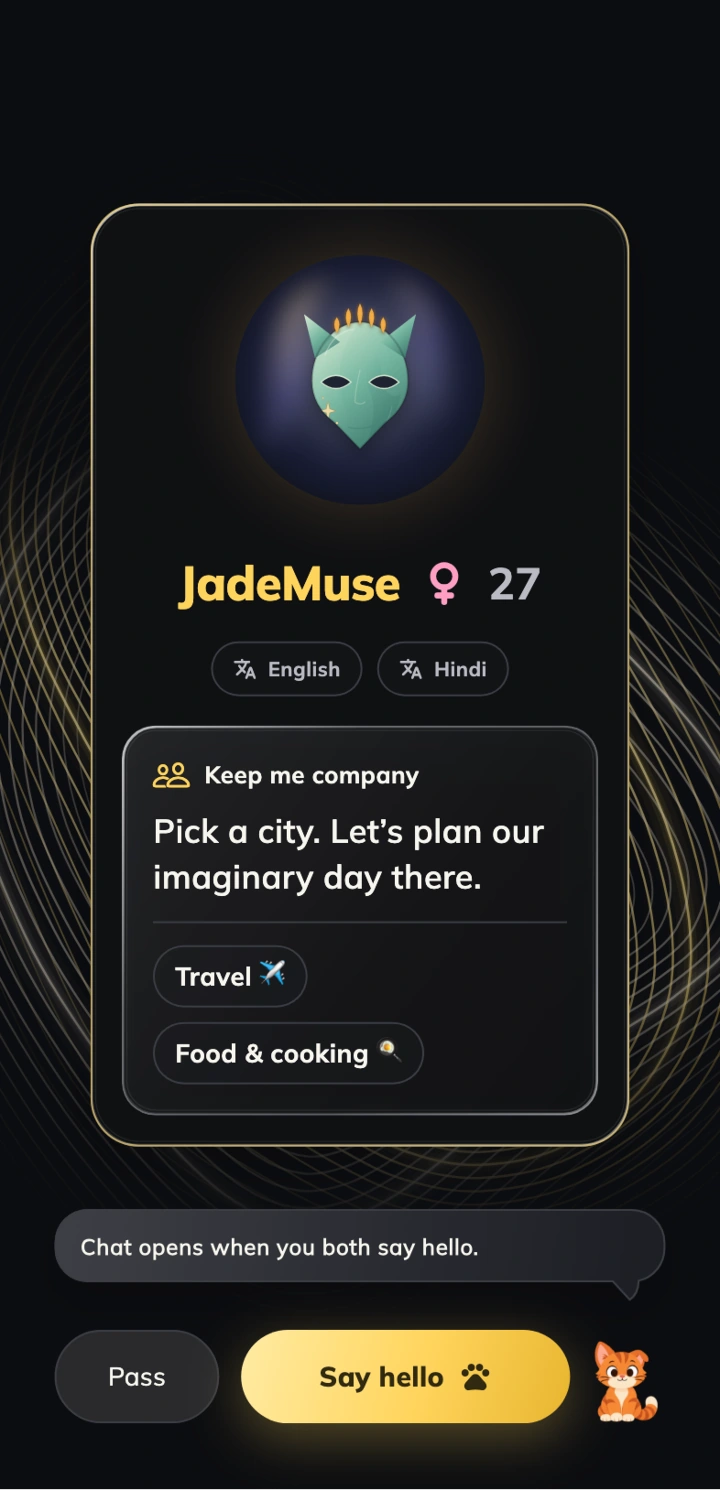

Say hello or Pass. The chat opens only when you both say hello.
CONNECT
Start with what’s on your mind.
Trade stories from your day, follow a shared curiosity or plan an imaginary trip. Find out what you enjoy talking about, with a person who chose to be there too.
See what happens after helloSHARED INTERESTS
Start with something you enjoy.
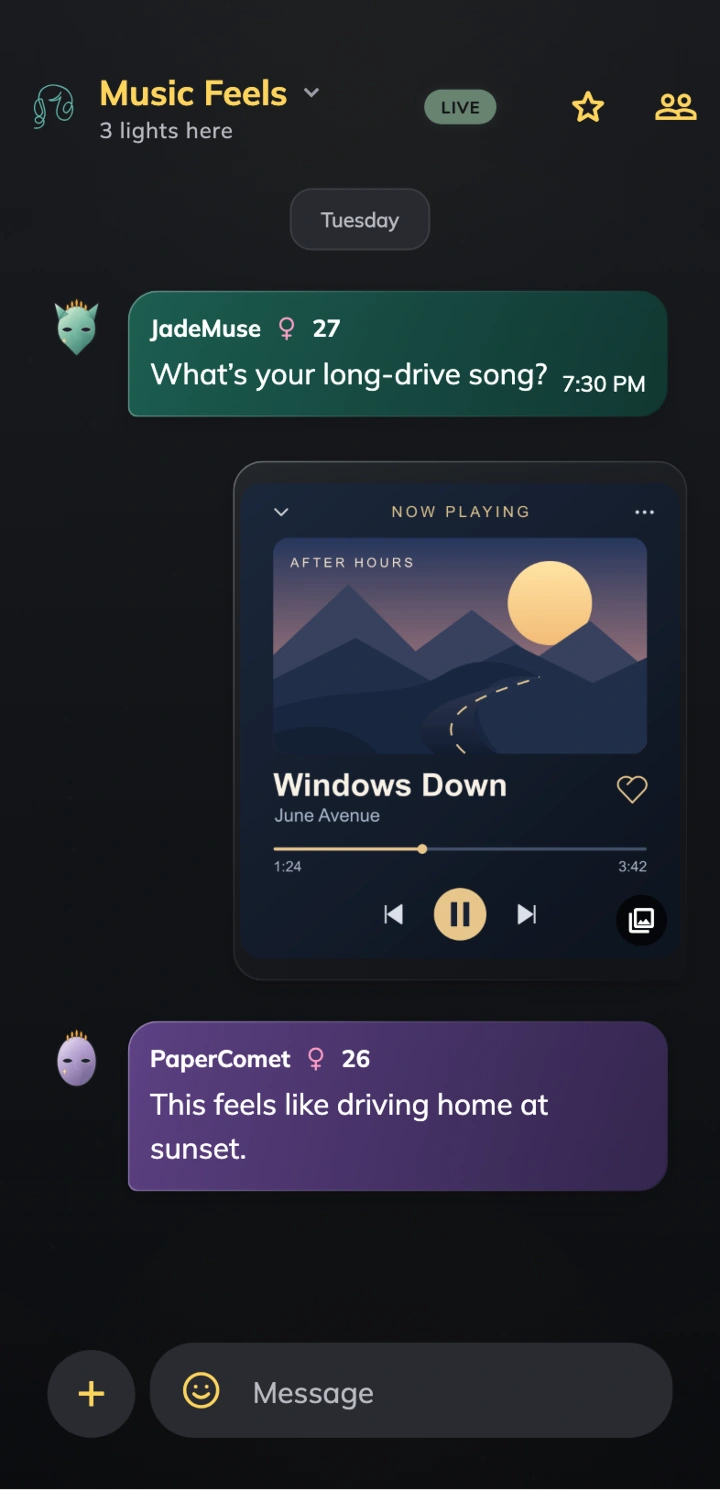
Start with something you already have in common. Join a topic Room to share a recommendation, follow a conversation or add your own perspective.
Joining a Room does not open private chats with its members.
Four in a Row, played inside your chat.
A LITTLE LESS SMALL TALK
Let a game break the ice.
Alongside Four in a Row, enjoy other games like Rock, Paper, Scissors, Truth or Dare and many more. Invite someone to play, share a laugh and get to know each other. They choose whether to join.
Pick a mask, then make it yours in Veil Studio.
MAKE IT YOURS
Show your personality, keep your privacy.
Choose an illustrated mask, then personalize its colors and details. Your Veil gives you a recognizable presence, without making your photo the introduction.
CARE, BUILT IN
Room to be yourself.
Boundaries you choose.
Privacy should feel comfortable. Respect should be expected.
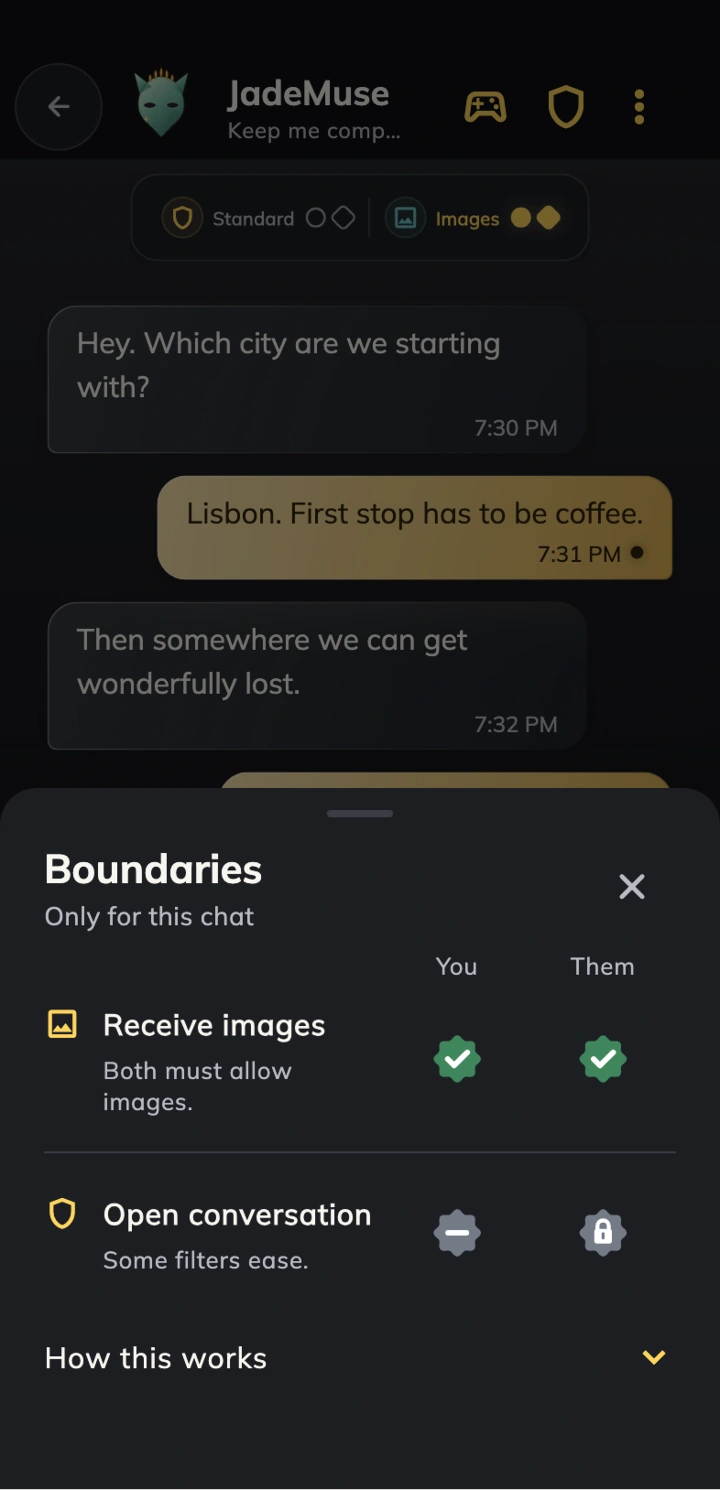
Two separate choices, receiving images and Open conversation, each with a You and a Them switch. Each needs agreement from both people.
See the controls up close
Moderation before delivery.
Automated checks help stop prohibited content before it reaches a conversation. No system catches everything.
Choose how people approach you.
You can turn off new private Notes from Rooms in Settings and still take part in Rooms. If you keep Notes on, you choose whether to accept each invitation to talk.
Your boundaries. A choice on both sides.
- Images
- Both people must allow image sharing in a one-to-one chat.
- Open conversation
- A separate, mutual choice for adult language, themes and non-explicit suggestive images. Safety checks stay on. Explicit nudity stays blocked, and images still need their own permission.
- Your choice can change
- Either person can change either setting at any time.
Safety belongs to everyone.
Blocking and reporting are always free. You never need a paid plan to use the core safety tools.
WHEN YOU WANT TO KEEP TALKING
Good conversations
can find their own pace.
Keep it in the moment, pick it up soon or stay in touch. Choose together, without exchanging contact details.
Live chat
For the conversation happening now.
Once you both accept a Connect invitation, talk one to one. There is no expectation to stay. If you want more time, choose what comes next.
Start here when you feel like meeting someone new.
Saved chats
A little more time to see where it goes.
Save a chat for up to 48 hours. If you both save, you can keep talking. If only you save, you can send one request to reopen it.
Choose Saved when you want to pick up the conversation soon.
My Lights
Good company, worth coming back to.
When you both choose to stay connected, find each other in My Lights. Return to the conversation without exchanging contact details or sharing your real name.
Choose My Lights when you both want to talk again.
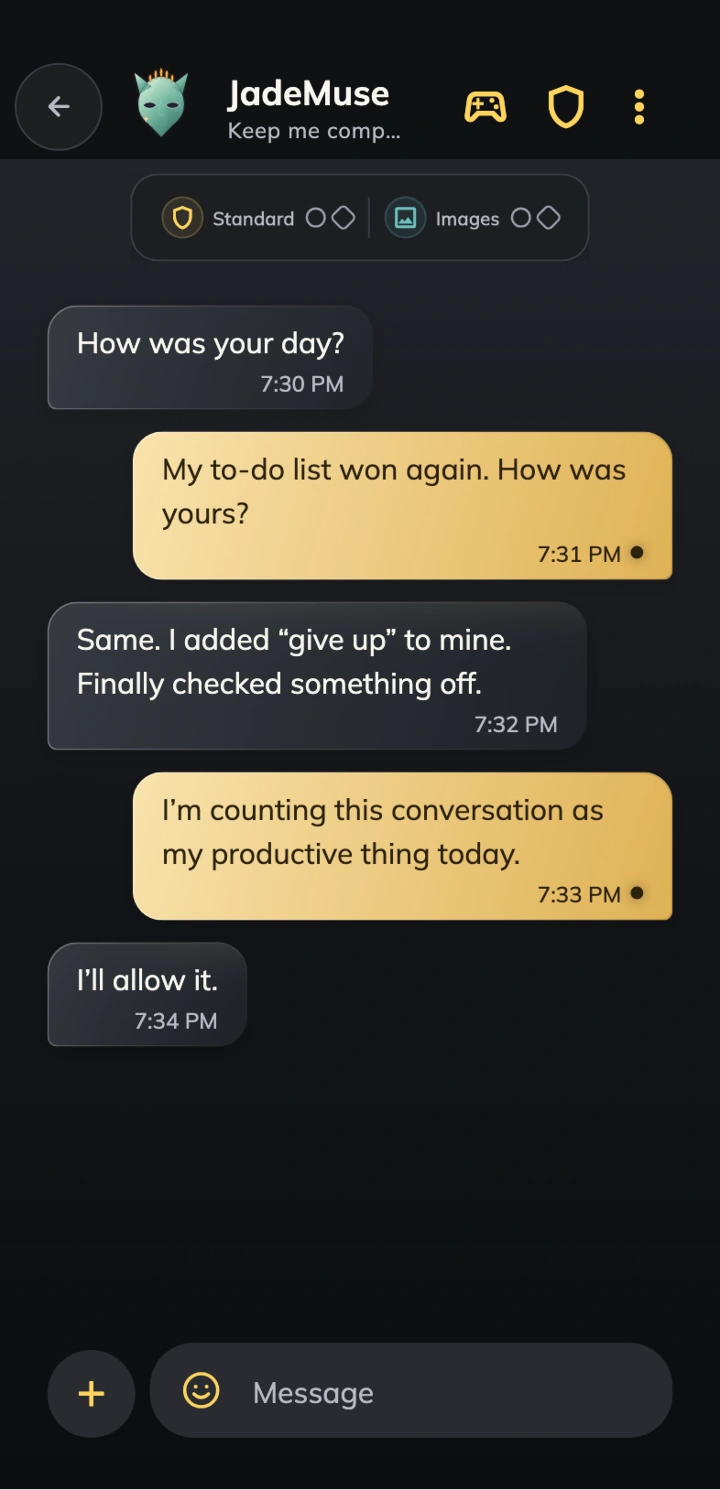
A live one-to-one chat, open after you both said hello.
YOUR PRIVATE JOURNAL
Some days are
just for you.
Not every thought needs a conversation. For the days you’d rather keep things to yourself, put them into words in your private journal.
One page for your day, with a calendar to return to it. No streaks. No pressure to write every day.
Your protected pages stay private.
Vault-protected pages are encrypted on your device before they sync. NamesLater can’t read those encrypted pages. Older pages have separate privacy limits.
How journal privacy works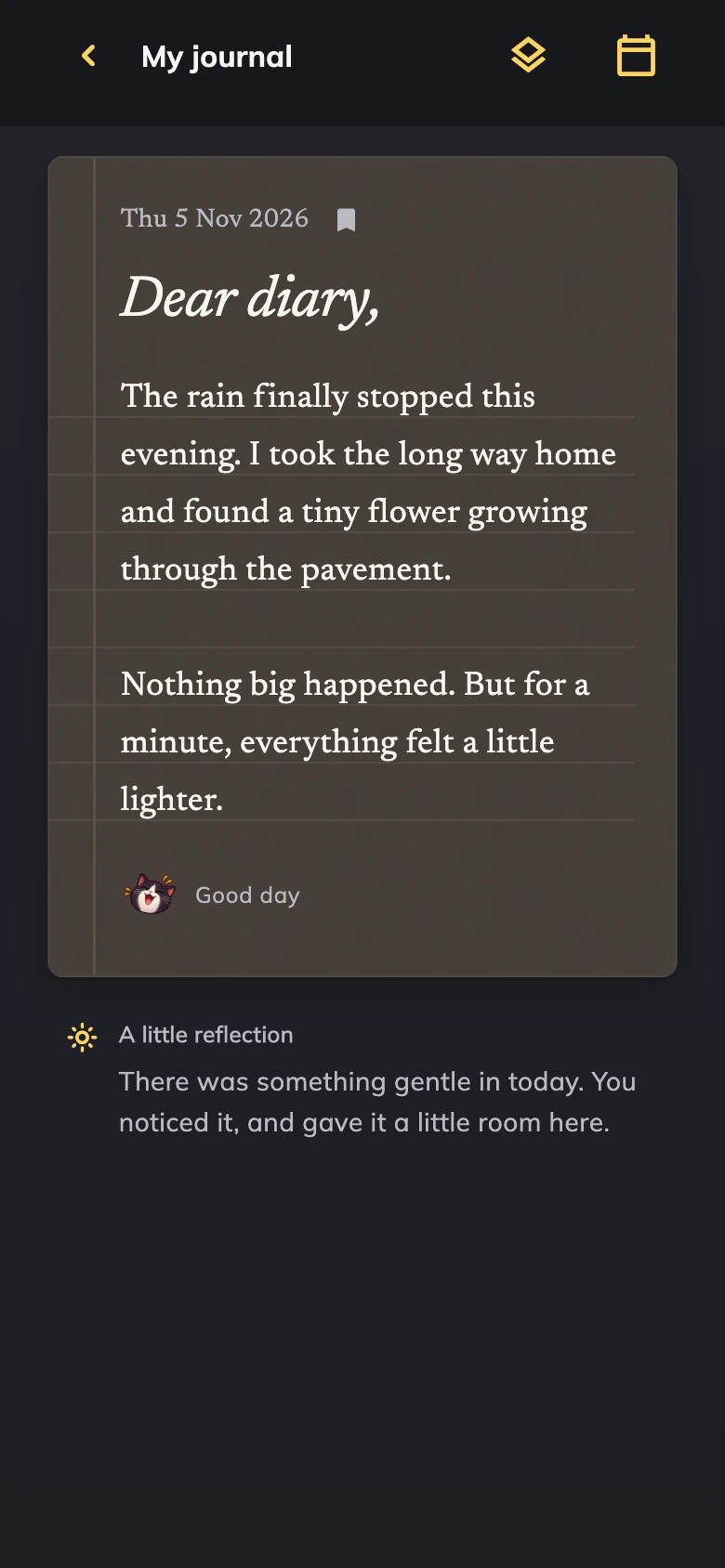
WHY NAMESLATER EXISTS
Somewhere to share.Someone to listen.
When someone needs to share their day, I want them to find a place that feels safe enough to try, and someone willing to listen. Strangers once did that for me. NamesLater is my way of passing that kindness on.
A CLEARER PICTURE
Before you join.
Do I need to use my real name or photo?
You take part through a Veil name and illustrated avatar. Your public profile can include interests, languages and a bio. Your real name and photo are not your public identity here.
Can you read my private messages?
We don’t browse people’s private conversations. We encrypt the text of one-to-one messages we store, so a copy of the database alone won’t reveal what you wrote.
Our servers can read messages to deliver them and run safety checks. A moderator may read a message someone reports or a blocked message you choose to share through Report a mistake. Our privacy guide explains who can access stored content and how long we keep it.
Learn about privacyIs this a dating app?
We’re a social connection app. If you two catch feelings, we’re not taking the blame.
Personal details and contact sharing are blocked in regular chats to help protect your anonymity and give trust time to grow. A good conversation still isn’t proof of who someone is.
Want to take a mutual My Lights connection further? Optional Slow Reveal opens one new card every 24 hours. After the first 20 cards, card 21 lets you each choose to share one contact detail. Both must accept a safety reminder and submit before either contact is revealed. You can skip or keep your connection here.
The final card allows contact sharing, while basic safety checks still apply. Contact details expire 24 hours after both people first view them, or seven days after the first submission, whichever comes first. Others can keep outside copies.
What happens after joining the beta program waitlist?
Confirm your email to join the beta program waitlist. We’ll give the list priority consideration as testing opens and send an invitation or download instructions when access is available. You can try the app and help shape it with your feedback. Emails cover beta access, relevant testing updates, feedback requests and the launch announcement. Access depends on availability, and you can leave whenever you like.
Waitlist privacy
Every community starts somewhere.
Be part of ours.
Be among the first to try conversations, Rooms and games built around mutual choice. We’ll email you when beta places are available.
Join Beta Waitlist Free to join. Confirm by email. Help shape the app if you choose.Coming soon to Google Play and the App Store.